Fewer "what do I owe?" calls. More bills paid on time.
Customers look up their account with the number on their bill, see what they owe and how much water they've used, and pay online by card. No account to create and no password to forget.
- Card payments through Stripe
- Email confirmation of every payment
- Your customers' usage history
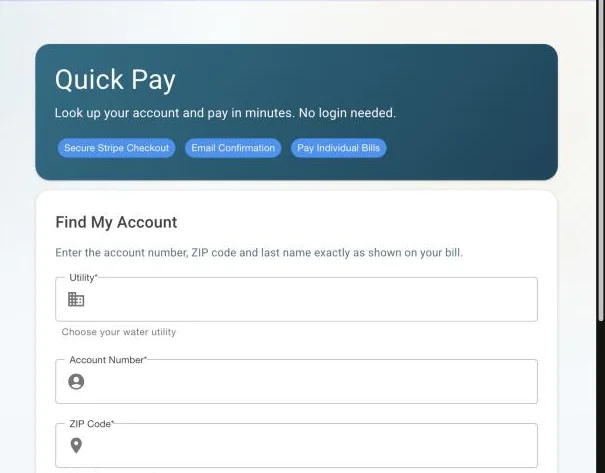
Pay a bill in a couple of minutes, from a phone.
Quick Pay finds the account from the details printed on the bill. Customers can pay the full balance or individual bills by card through Stripe's secure checkout, and get an email confirmation. The payment is recorded on the account automatically, with no re-keying in the office.
- Online payment is a setting you turn on when you're ready
- No autopay: each payment is one the customer makes
The answers to most billing calls, before they call.
Customers see their bills and a 12-month usage chart. If last month's usage was more than twice their recent average, they get a "possible leak" notice with a nudge to check their pipes.
Boil-water notices where your customers will see them.
Post service advisories from the office (boil water, main breaks, planned work, low pressure) and they appear in the portal for the customers in the affected area, then expire on the date you choose.
Portal questions, answered.
Can customers set up automatic monthly payments?
No. WaterWorksPro has no autopay. Customers pay each bill themselves, online or the way they do today.
Who processes the card payments?
Stripe, one of the largest online payment companies. Card details go to Stripe's checkout and never touch WaterWorksPro or your office.
Do customers need to create an account?
Not for Quick Pay. They look up their account with the account number, ZIP code and last name on their bill.
Does it cost extra?
Ask us and we'll give you a straight answer for your utility, including Stripe's card processing fees, before you turn online payments on.
See what your customers would see.
We'll walk through Quick Pay and the portal with sample accounts.